Your assistant can write. Now it can finish the job.
On its own, Claude or ChatGPT forgets your brand between chats and leaves you to copy, paste and post. Connected to Deynix, it works from your brand, drafts into one queue and schedules what you approve.
7-day free trial · You approve every post · Works in Claude, ChatGPT or our app

The job is not “write a post”
Founders do not fail at LinkedIn because they cannot write. They fail because the job is a bundle: what is worth saying this week, in this voice, for this audience, on this channel, with an image, then scheduled, then measured. A chat window only does the middle of that bundle, and only if you show up with a brief.
What you still have to do
Claude or ChatGPT alone
You paste the context, pick the topic, copy the output, make the image and post it yourself. Next chat, it has forgotten your brand.
Schedulers
Some now plug into agents too, but they only post what they are handed. No brand knowledge, no niche research, no review step.
A freelancer or VA
They start without your context, you still manage them, and an hour of their time costs more than a month of Starter.
Your assistant with Deynix
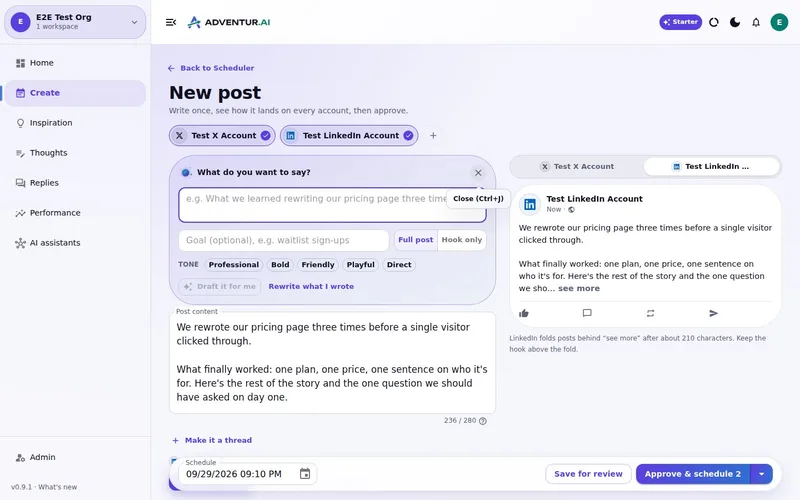
It reads your brand and your results, finds what is current in your niche, drafts posts and visuals into Review, and schedules to X and LinkedIn once you approve.
Keep the judgement. Hand over the busywork.
You should still decide what sounds like you. You should not have to rebuild the context, the image and the posting schedule every time you want to say something. Ask in the chat you already have open, and review what comes back.
One request to see the difference
Connect your brand, then ask your assistant what you should post this week. If the drafts sound like you, the job is already smaller.
What this
is for.
Founders who already ask Claude or ChatGPT for posts but still cannot keep a consistent presence.
Stop pasting the same company context into every chat.
Go from “what should I post?” to scheduled posts without leaving the chat.
Keep approval on every public action, wherever the draft came from.
Ask in the chat
you already use.
Connect Deynix to Claude, ChatGPT or Cursor and ask for the week. Your assistant uses your brand, drafts the posts and visuals, and everything waits in Review for you.
See how it connectsYou: What should I post this week? Lean on what worked last month and keep my voice. Tool call get_performance_summary: Last 30 days · 14 posts Tool call suggest_slots: 5 open slots next week Tool call create_draft_post: X + LinkedIn drafts in Review Agent: Behind-the-scenes posts did best, so the drafts lead with how you built the new feature. You: Approve both. Tool call approve_post_group: Scheduled for the best slots X post, Pending approval: We shipped the feature 40 of you asked for. Here's the 20-second version. LinkedIn post, Pending approval: The most requested feature took us three tries. What we got wrong the first two times:
Illustrative demo. Your numbers and drafts will differ.
Three steps
to your first week.
Connect the brand
Point it at your site, social history and Notion so drafts start from real context instead of a blank prompt.
Inspect what it learned
Correct positioning, audience and voice once. That correction applies to every future draft.
Approve the first batch
Scroll, edit or reject. Nothing public goes out until you approve it.
Questions, answered.
Can I not just prompt ChatGPT and paste into Buffer?
You can, and that is the job that keeps slipping every week. The missing pieces are not better prose: they are brand knowledge that persists, research on what is current in your niche, visuals, and a queue that publishes once you approve.
Do I have to use it through Claude or ChatGPT?
No. Everything also works in the Deynix app. Connecting your assistant is optional, and it is the quickest way to ask for a week of posts.
Can my assistant post without me?
No. Drafts land in your Review queue. Your assistant can schedule or publish only what you have approved, using the permissions you chose when you connected it.
Updated 28 September 2026
Try it on
a real week.
Connect a brand, ask for a week of posts and approve the ones that sound like you. Nothing publishes until you say so.
7-day free trial · Card needed, cancel any time