Schedule your X presence without scheduling a mistake
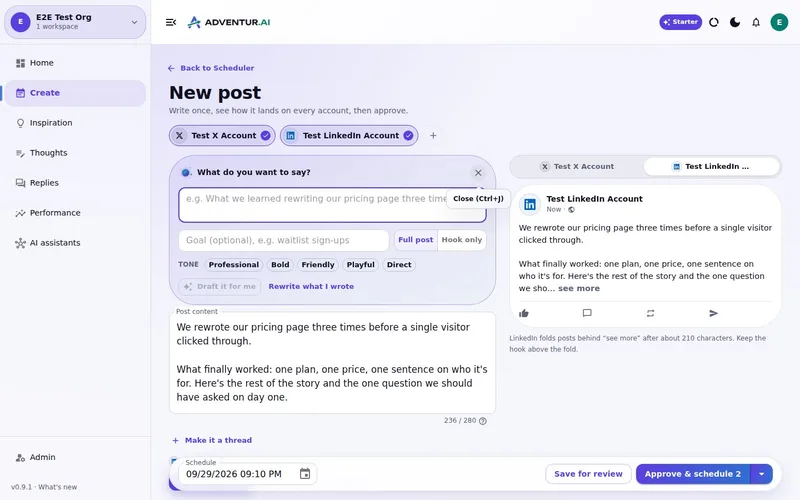
Plan ahead, approve the exact copy and let the queue handle timing. Editing an approved post brings it back for review.
7-day free trial · You approve every post · Works in Claude, ChatGPT or our app

The job to solve
A scheduler saves time only when it is attached to a dependable process. If drafts live in documents, approvals happen in chat and edits happen inside the queue, it is easy for the wrong version to go live.
What a connected workflow changes
One visible state
See whether content is a draft, waiting for review, approved or scheduled.
Approval is enforced
Scheduling and Post Now respect workspace approval settings at the publishing layer.
Edits are safe
Changed content needs approval again instead of inheriting permission from an older version.
Assistants stay scoped
Claude, ChatGPT and other MCP clients work within the permissions granted to them.
Batch the work, not the judgement
Creating and reviewing several posts together can protect focus for the rest of the week. The useful automation is remembering the queue and publishing times; your judgement over the actual words remains a deliberate checkpoint.
Build a week you would be happy to publish
Bring your brand context and one real idea. Review the drafts, change what needs changing and approve only the work that earns a place in your queue.
What this
is for.
Founders and teams who want reliable X scheduling without losing control of what goes public.
Keep draft, review, approved and scheduled work clearly separated.
Prevent unapproved or newly edited content from publishing.
Batch a week of X posts without handing over your account voice.
Ask in the chat
you already use.
Connect Deynix to Claude, ChatGPT or Cursor and ask for the week. Your assistant uses your brand, drafts the posts and visuals, and everything waits in Review for you.
See how it connectsYou: Plan next week on X around the pricing change. One thread, two single posts, in my voice. Tool call get_strategy: Voice, audience and pillars loaded Tool call create_x_thread: 5-post thread in Review Tool call create_draft_post: 2 X drafts in Review Agent: Three drafts are waiting in Review. The thread opens with the before and after numbers. You: Approve all three for the best slots. Tool call approve_post_group: Scheduled Tue, Wed, Thu X post, Pending approval: We cut our pricing page from three plans to two. Here's what happened to sign-ups 🧵
Illustrative demo. Your numbers and drafts will differ.
Three steps
to your first week.
Connect the brand
Point it at your site, social history and Notion so drafts start from real context instead of a blank prompt.
Inspect what it learned
Correct positioning, audience and voice once. That correction applies to every future draft.
Approve the first batch
Scroll, edit or reject. Nothing public goes out until you approve it.
Questions, answered.
Can I schedule an X post for later?
Yes. Once a post is approved, choose a time or let the workflow place it into an available schedule slot.
What happens if I edit an approved post?
A meaningful edit sends the post back through review, so the published version is always the version you approved.
Can an AI assistant schedule posts?
A connected assistant can work through scoped tools, but publishing rules still apply. It cannot use the assistant connection to bypass approval.
Updated 4 October 2026
Try it on
a real week.
Connect a brand, ask for a week of posts and approve the ones that sound like you. Nothing publishes until you say so.
7-day free trial · Card needed, cancel any time